Paste your list
Copy rows from Excel or Google Sheets. Groups, meal choices and allergies come along. No retyping.
Paste your guest list, seat everyone, design the reception floor plan and print documents your venue will love. No account. Your list never leaves your device.
Free for up to 50 guests · Pro is a one-time $14 · Works offline on phone and desktop
Three steps, on your laptop or your phone.
Copy rows from Excel or Google Sheets. Groups, meal choices and allergies come along. No retyping.
Drag guests to tables on a computer, or tap a guest and then a table on your phone. Full tables are flagged instantly.
Export a seating chart for your venue, a catering summary and a “find your table” sign for the entrance.
Paste the list you already have. Every document is built from it, so nothing gets copied twice or left out.
Move a guest or a table and the seating chart, the floor plan and the entrance list all follow. No sticky notes to redo.
Clean PDFs in Letter, A4 or A3 for your coordinator, caterer and print shop, with meal counts already added up.
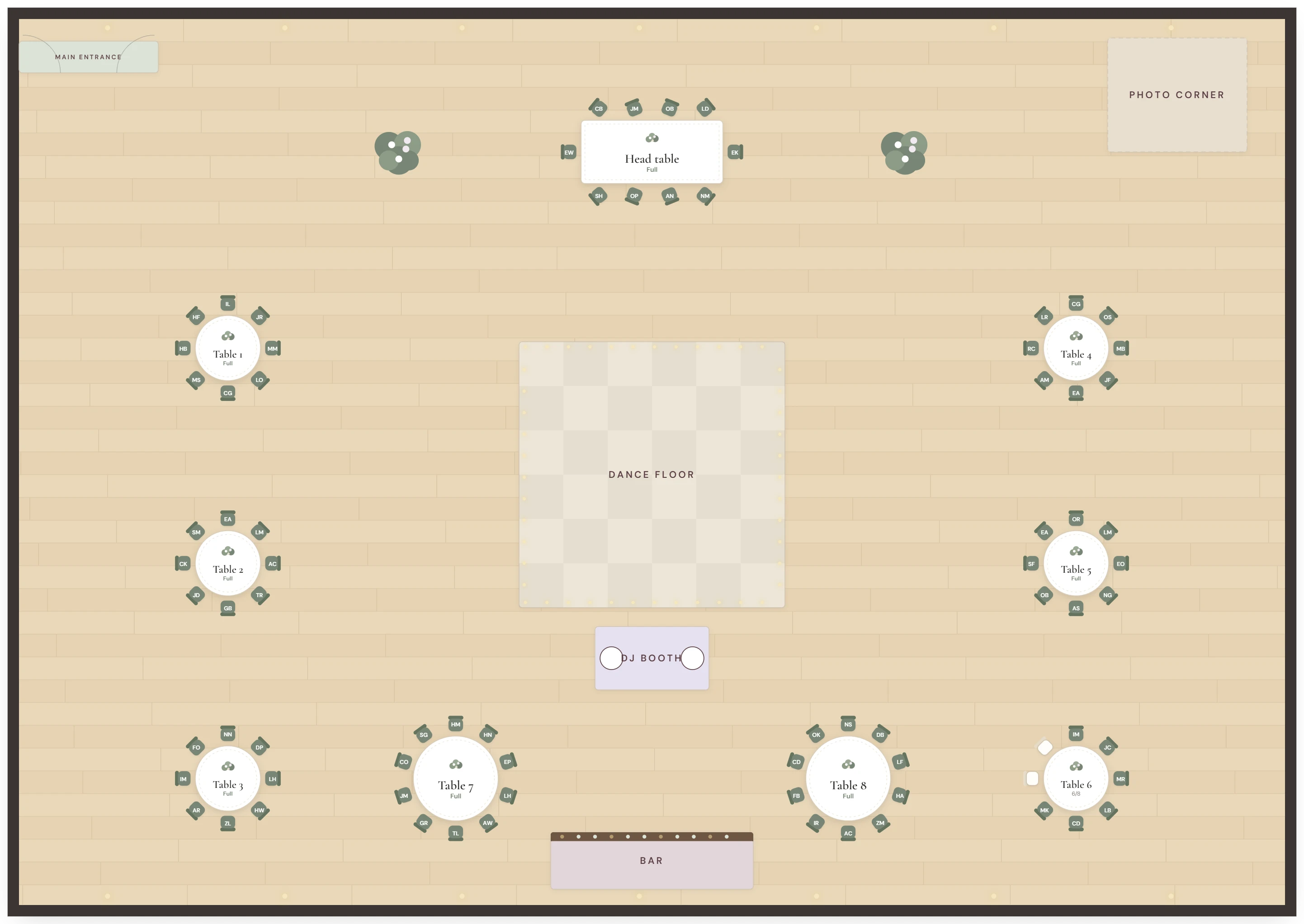
The floor plan uses the tables and guests you've already planned. Move a table and everyone stays seated.
Real documents from Seatwise, all made from the same sample wedding.
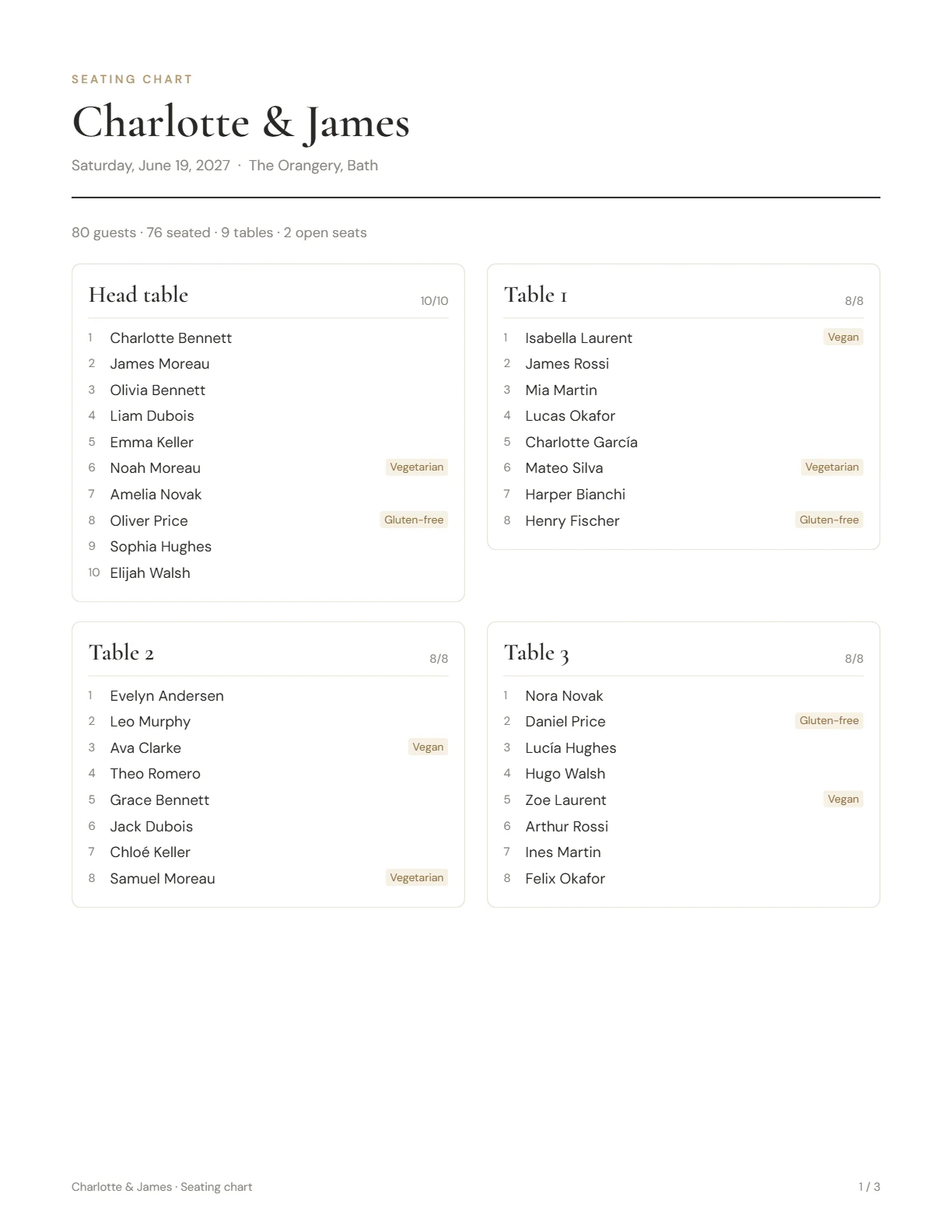
Every table with its guests in seat order and their meal needs. For your venue, planner and caterer.
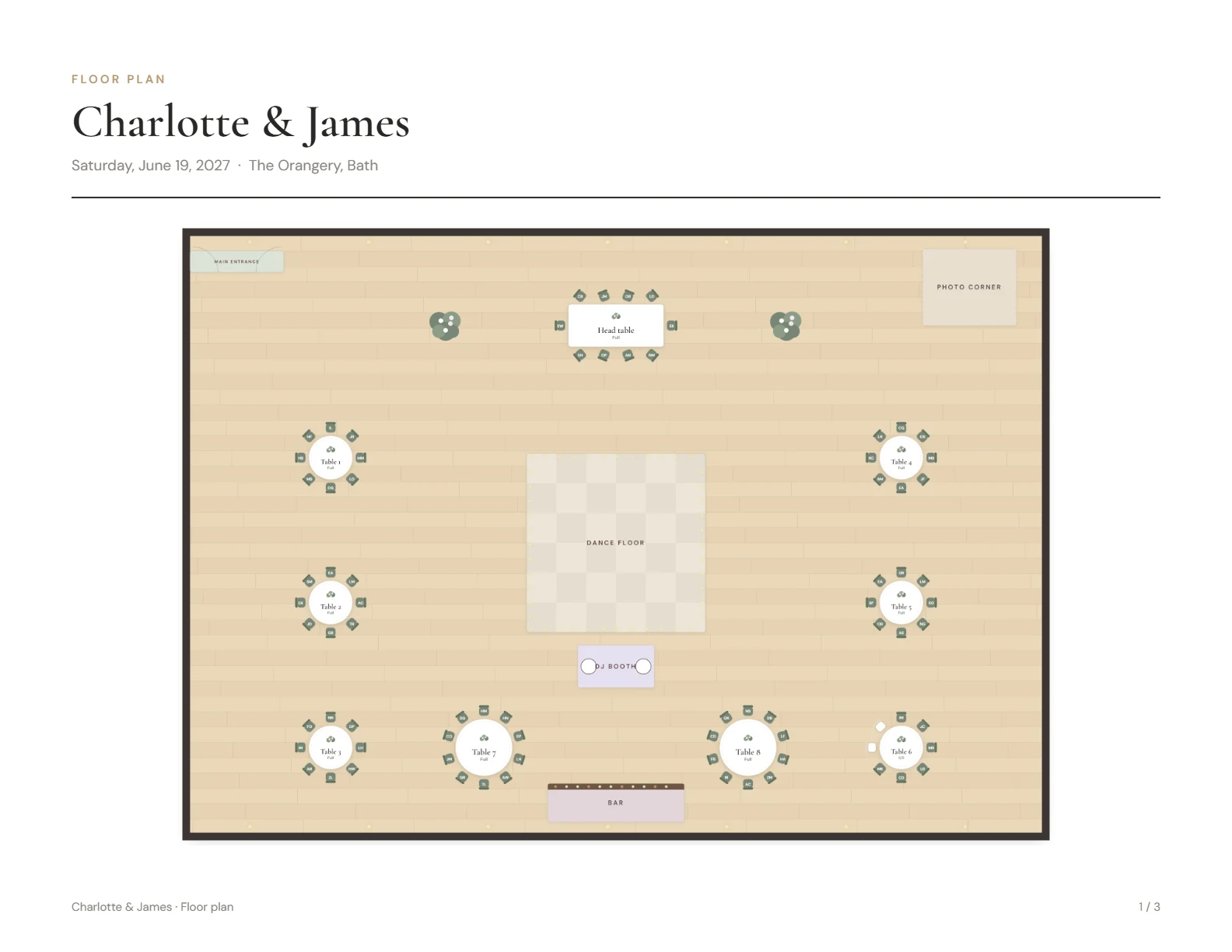
The whole room with every table, seat and zone. Hand it to the venue coordinator on the day.
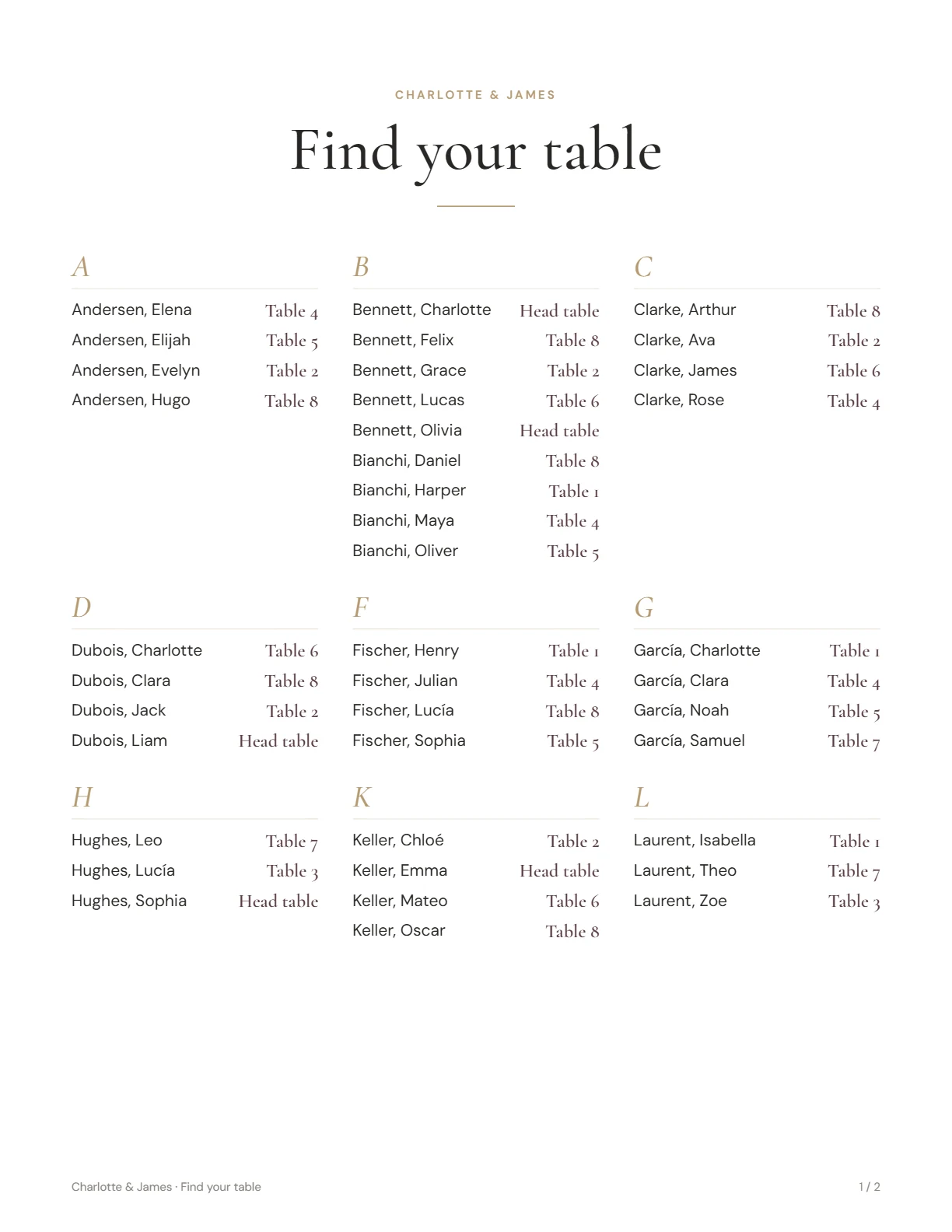
An alphabetical list for the entrance, in three styles. Guests find their seat in seconds.
No. Open the planner and start. Everything saves automatically on your device.
Yes, with a layout designed for small screens. Tap a guest, then a table. On the floor plan, pinch to zoom. You can also add Seatwise to your home screen and use it offline.
Yes. Use “Send to another device” to create a link that carries your plan, send it to yourself and open it on the other device. It works the same way to share the plan with your partner. Your plan never passes through our servers.
No. You pay $14 once and keep Pro for this wedding and any future event.
Please try the free plan first: it has no time limit. Purchases are final, but if Pro doesn't work because of a problem on our side and we can't fix it, you get a full refund. See our refund policy.
Yes, on up to 5 devices at the same time. Enter the license key from your purchase email in Settings on each one. New computer or cleared your browser? Enter the same key again. If you reach the limit, remove Pro from an old device in Settings or write to us.
Only on your device. Seatwise has no server that stores guest data. See our privacy policy.